Familiar, refined.
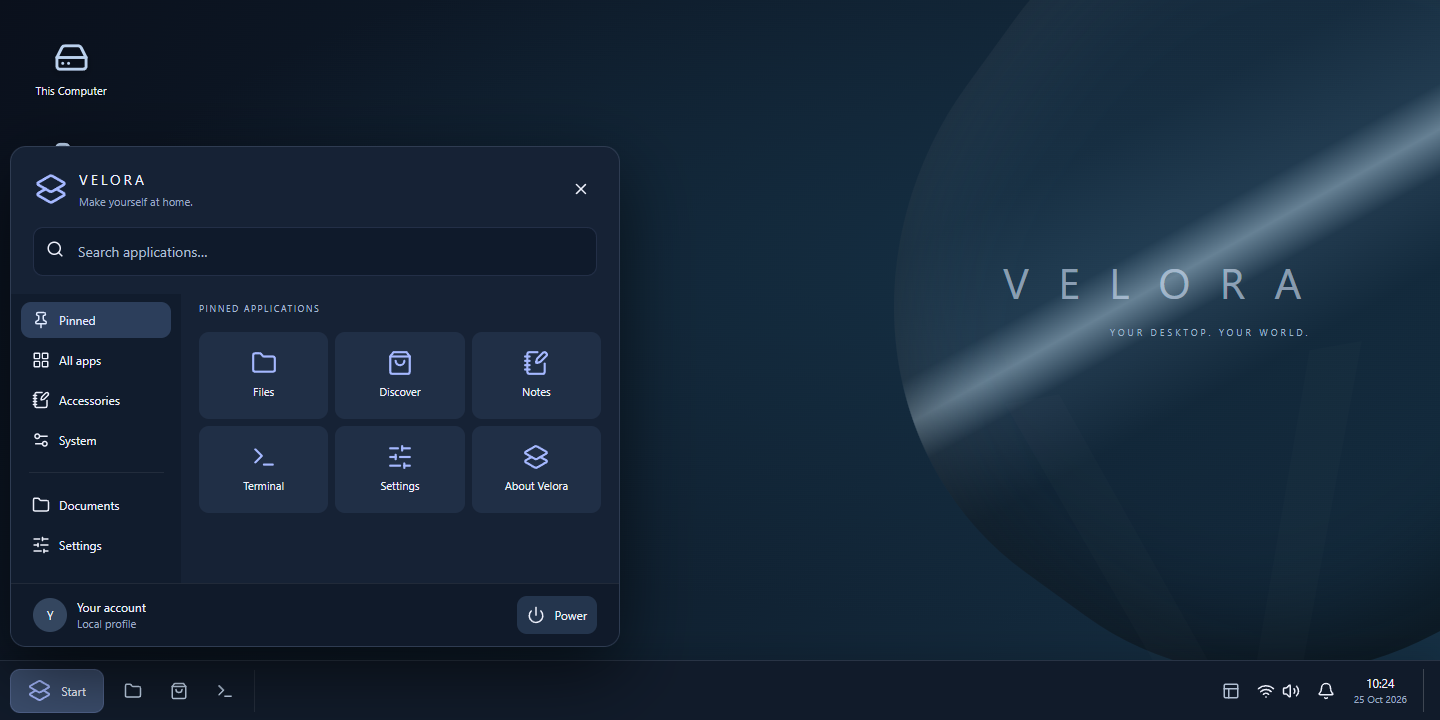
Start, search, switch. A full-width taskbar and application launcher put everyday actions in the right place.
A considered Linux desktop. Familiar where it matters. Beautiful in the details. Yours to make your own.
A Start menu where you expect it. A taskbar that keeps your work in reach. A calm workspace that gives your ideas room.
 Try the interactive preview
 Interactive design concept. The native Linux build uses KDE Plasma; its appearance can differ.
Start, search, switch. A full-width taskbar and application launcher put everyday actions in the right place.
Reduced visual effects by default, with a 4 GB RAM minimum target. Real hardware performance is still being validated.
Discover brings Debian software and Flatpak applications into one place. Add the tools you need, when you need them.
Write, build, create and play. Explore a curated selection, then find more through Flathub and the Debian repositories.
App names belong to their respective owners. Listings link to third-party packages; availability, licensing, accounts and hardware requirements vary. Apps are not all preinstalled.
Try the live environment in a virtual machine first. This is an experimental first release, built to be tested and improved.
0.1.1 Alpha · 64-bit PC · Debian 13
The ISO is being prepared. A download will appear here when an artifact is available. The interactive desktop preview is available now.
Download ISO Try the desktop previewLinux: sha256sum velora-origin-0.1.1-alpha-amd64.iso
Windows PowerShell: Get-FileHash .\velora-origin-0.1.1-alpha-amd64.iso -Algorithm SHA256
Minimums are design targets pending hardware testing. Games and larger applications have their own requirements. Secure Boot compatibility has not been validated.
Create a 64-bit Linux VM with 4 GB RAM and a 30 GB virtual disk. Attach the ISO as an optical disk. This keeps your existing system separate.
Check display, keyboard, network and audio. Open Discover to browse applications. The live environment is for trying the system before installation.
Back up your files first. Launch Install VELORA OS and review the target disk carefully. Partitioning and installation can erase existing data.
If you like the direction, you can support the project. A contribution is optional and does not unlock extra features.
Questions, feedback or an idea for the next release? Get in touch.
Version 0.1.1 adds an automatic VirtualBox compatibility mode for the reported Linux interrupt/RCU stall. Other computers retain their standard kernel settings. Release test results are shown beside the download.
VELORA OS is a custom Linux distribution based on Debian, using KDE Plasma and upstream applications. The desktop preview explores the proposed design; it is not a running Linux session.
Compatibility varies. Tools such as Steam, Proton, Lutris and Bottles can help with some software, but anti-cheat, drivers and specific applications may not work. Check each title before switching.
No. The image includes a practical set of essentials. Discover lets you choose additional apps from configured sources. An internet connection is required for downloads and updates.
This first build is experimental. Boot tests, an installation test and broader hardware validation are separate release milestones. Keep backups and try a virtual machine first.